Start with the templates
Open Lenses and choose Add from templates. Each template already counts your data before you install it: in our demo hotel, 33 stays today, 12 arrivals and 31 bookings waiting.
Pick one, arrange its boxes if you want to, and build it. Every lens is checked before anyone sees it, then it runs live on your bookings and you publish it to your team.
Confirm a booking without leaving the page
Bookings to confirm lists each pending booking with Confirm, Cancel and Open. Tap Confirm and a change card shows exactly what will happen: the status moves from pending to confirmed, the guest is emailed when they have an email, and the change is noted on their timeline.
Nothing changes until someone taps Apply, and every change is logged with who made it.
On every screen at the desk
The console runs in the browser on desktops and tablets. Each lens has a desktop and tablet layout, and kiosk mode runs it full screen on a lobby or back-office screen. On a phone, Auxie answers with cards and drafts changes you approve (the iPhone app is in private testing).
What it doesn’t do yet
- Auxelit doesn’t record a cleaning status of its own, so a housekeeping lens runs on a table you set up.
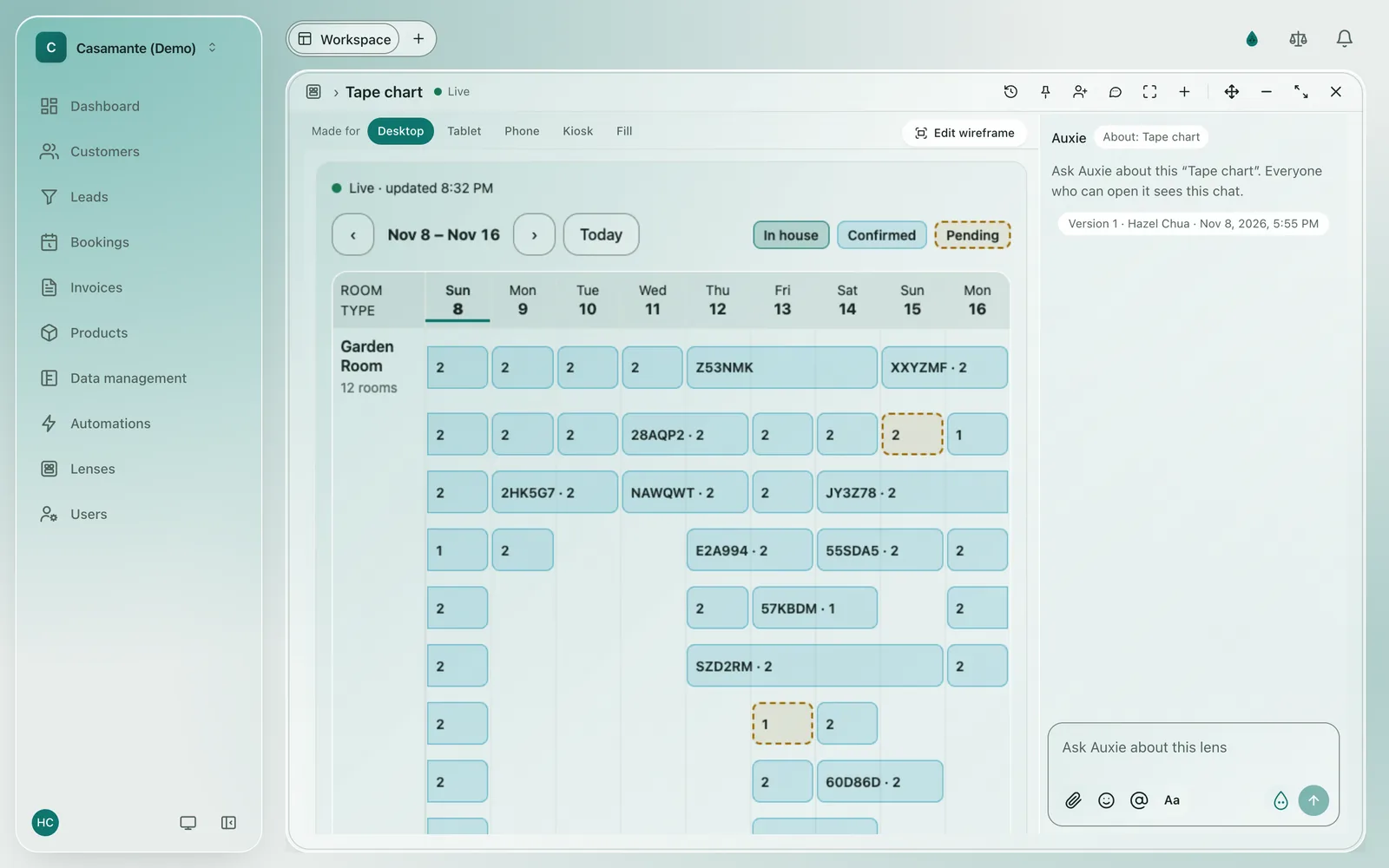
- The room board places bookings that are assigned to a specific room. If you book by room type, use the tape chart, which reads stays by room type.
- Lenses read bookings held in Auxelit. Bookings from another system come in through an import first.
- Each property is its own account. Nothing shows several properties on one page yet.
- Lenses are in beta.
Which plan. Templates, bookings and online payments come with every plan; pricing rules, bills and receipts start on Operations. Starter’s 7-day free trial includes full Lens access. See pricing